Review items
Check the order, quantities and applicable charges before preparing a bill.
Restaurant billing software
For restaurant teams in India, RestaBee restaurant billing software keeps order review, bill preparation and payment records in one configured workflow.
Dine-in · Takeaway · Staff-entered delivery
 RestaBeeTable T3
Sample amounts. Tax follows the restaurant’s configured profile.
The billing workflow
Restaurant billing software keeps the order, its items and collection history together in the restaurant billing system.
Check the order, quantities and applicable charges before preparing a bill.
Preview configured tax lines and apply permitted discounts or final-amount adjustments.
Record cash, UPI or card, including mixed or partial collections.
Keep an outstanding balance visible and record a later collection when it arrives.
The order before the bill
Restaurant POS billing starts with the order staff enter. Add menu items and their choices, review quantities and keep the service context with the order before moving to bill preview and collection.
See the full restaurant POS workflow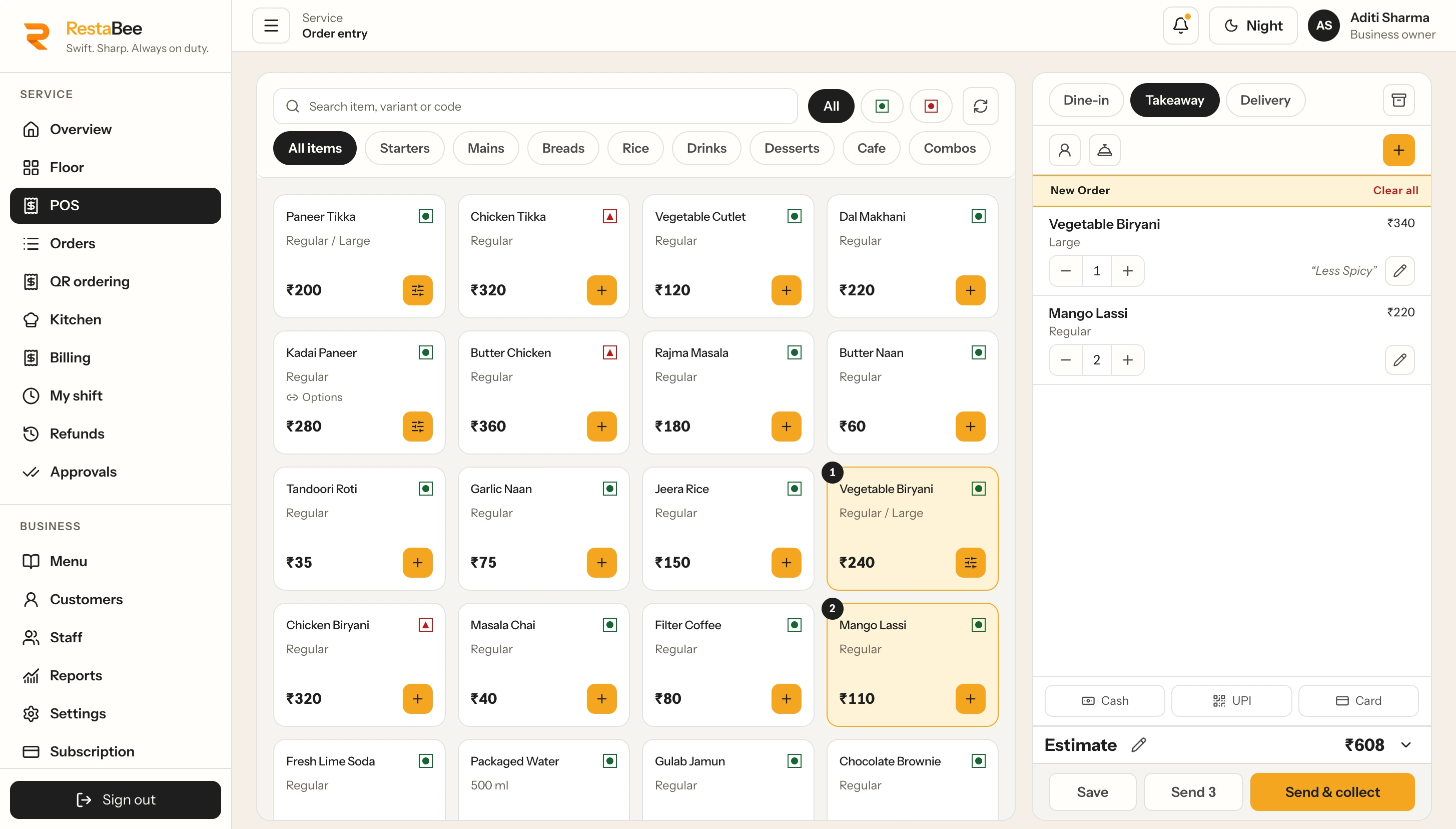
Add items and quantities before preparing the bill.
One POS billing workflow
Keep the order type visible from entry through bill preparation, with staff completing each handoff in the restaurant POS.
Keep item quantities and the table party together while the team reviews the bill and records one or more collections.
Enter the takeaway order in the POS, prepare its bill and record the payment through the cashier workflow.
Restaurant staff create delivery orders and continue through bill preparation and collection.
Restaurant bill management
Configured tax profiles determine the tax shown for each restaurant and menu item.
Prepare eligible checks and allocate item quantities before issue. Corrections to an issued bill follow a separate workflow.
Apply permitted flat or percentage discounts before tax, or an authorized final-amount adjustment when preparing the bill.
Record cash, UPI and card collections, combine payment methods or leave an outstanding invoice balance for later collection.
After the bill is issued
Corrections to issued restaurant bills follow a separate workflow. Some require approval and create a new record. Credit notes and refunds are recorded as distinct steps.
Review correction workflows in a demoBilling scope
RestaBee calculates displayed tax from configured restaurant profiles and records collections entered by staff. GST filing, e-invoice and e-way bill creation, and automatic reconciliation with banks, UPI networks, gateways or card terminals sit outside this billing workflow.
Set up a compatible printer for the chosen device.
See public subscription pricingQuestions about restaurant billing
Yes. RestaBee supports staff-entered dine-in, takeaway and delivery orders, then bill preview and issue through the permitted workflow.
Tax lines follow the profiles configured for the restaurant and its items. Staff can review the calculated tax before issuing a bill.
Staff can separate eligible unissued checks into drafts before issue. Splitting checks and splitting payment across methods are different workflows; issued bills follow the correction process.
Staff can record cash, UPI and card collections, including mixed and partial payments.
RestaBee records the amount due and lets staff add a later collection against that balance.
Authorized staff correct issued bills through a separate workflow. Some corrections require approval and create a separate record. Credit notes and refunds are recorded as distinct steps.
Set up a compatible printer for the chosen device, then print bills from the POS.
Compare how each system handles order details, configured tax, discounts and payment records. RestaBee keeps those steps in one restaurant workflow.
A useful restaurant billing app should keep the order, bill and collection record together. In RestaBee, staff review the order and configured charges before issuing a bill.
Restaurant staff enter delivery orders in the POS, then prepare the bill and record collection in the same workflow.
RestaBee restaurant POS
Follow an order through service, kitchen handoff and collection in a guided product demo.