
Restaurant order management
Enter dine-in, takeaway and staff-entered delivery orders, capture menu choices and send preparation details to the assigned kitchen station.
Explore order managementRestaBee product features
Move from order entry to kitchen preparation, table service and billing in one restaurant workspace. Explore each part of the RestaBee POS and open the feature page for the workflow you want to see.
Book a demo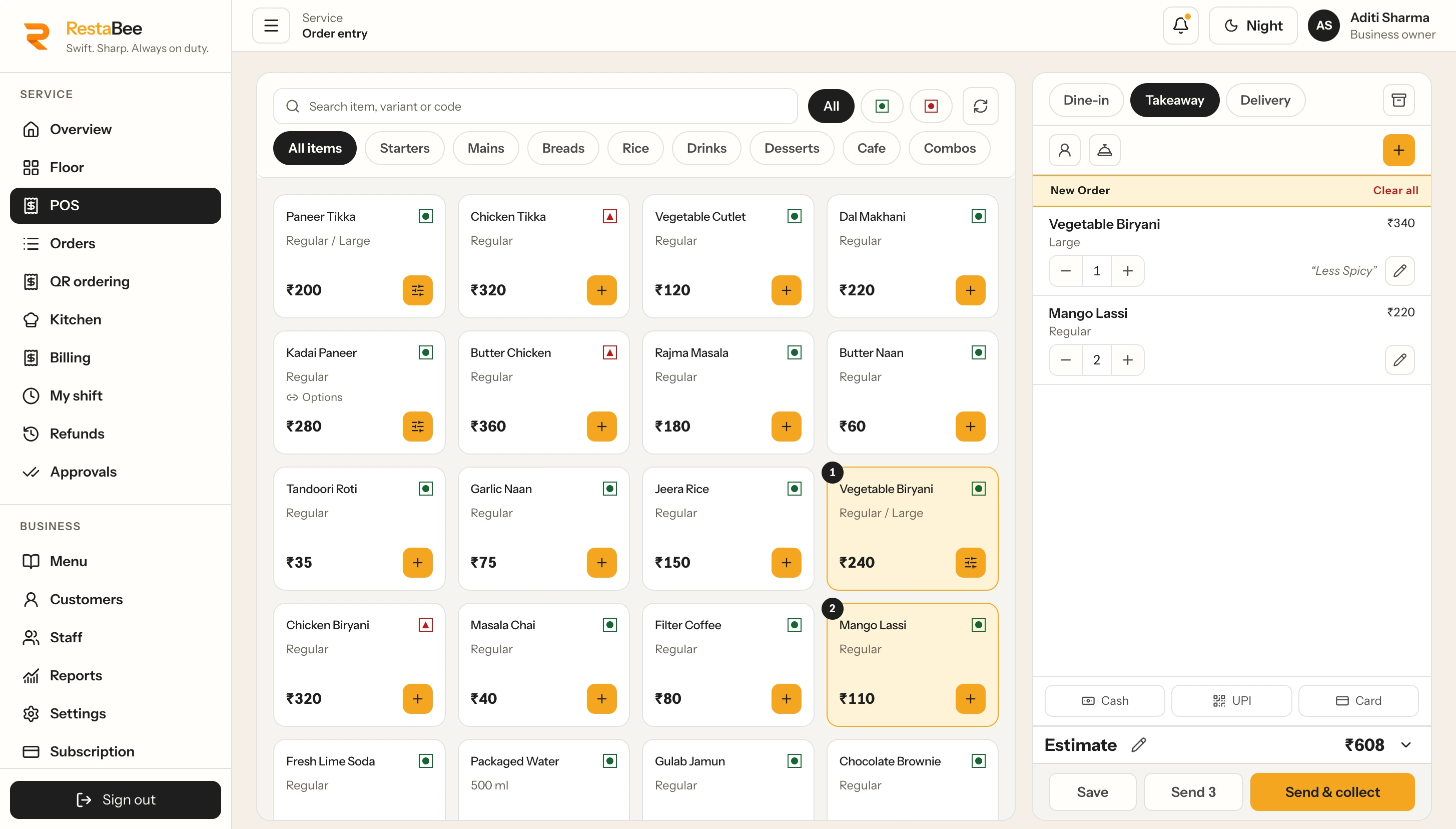
Browse the menu, add choices and send the order to its next step.
Explore by workflow
Start with the part of service you want to improve. Each feature connects to the next handoff, so staff can keep the order and its context moving through the restaurant.
Enter dine-in, takeaway and staff-entered delivery orders, capture menu choices and send preparation details to the assigned kitchen station.
Explore order managementReview the order, prepare the bill, apply configured charges and record collections through the permitted workflow.
Explore restaurant billingSee table status, active parties and service details together. Open the floor view for table availability, reservations, waiting parties and table-side order context.
Explore table managementGuests scan a table QR code to browse the menu and send their selection. Staff review each order before it moves into preparation.
Explore table QR orderingSet up drink variants and modifiers, take counter or dine-in orders, route items for preparation and review item sales.
Explore Cafe POSRoute ordered items to their preparation station with quantities, table details and instructions. Keep ticket amendments and print-queue activity connected to the order.
Explore kitchen order ticketsGive kitchen teams a live queue for new, preparing and ready items. Update item progress and keep pickup status visible across preparation stages.
Explore the kitchen displayMaintain menu items, variants, choices, categories and preparation stations in a central catalog. Review menu changes and apply them to selected outlets.
Explore menu managementCoordinate menu releases, outlet access and sales reporting across locations. Keep central decisions visible alongside outlet-level menus and assigned permissions.
Explore multi-outlet POSOpen a shift with a recorded float, log cash movements, then review the closing count and any variance in My Shift.
Explore cash shift managementAssign people access to the restaurant tasks they perform. Keep operational screens and reporting scope aligned with each person’s permitted work.
See team access featuresReview issued sales, collections, item and category performance, discounts, taxes and shift activity by the available date and outlet scope.
Explore restaurant sales reportsSee how order entry, floor service, kitchen workflows, menu control, billing and reporting connect across a restaurant day.
Explore restaurant management softwareOne connected restaurant workflow
Staff enter dine-in, takeaway or delivery orders in the POS. Table orders can also begin from a QR menu, with the guest’s selection sent for staff review. The order then moves to the relevant preparation station, while the team tracks service and prepares the bill through the restaurant workflow.
See restaurant billingFloor teams need a clear view of tables and active parties. Kitchen teams work from preparation tickets and item status. Cashiers handle bills and collections, while owners review reports and team access within their assigned scope. RestaBee brings these workspaces together while each person focuses on the tasks available to them.
RestaBee is available across web, Android, iPhone, Mac and Windows. Choose a device for the work in front of you, from order entry at the counter to a kitchen queue or an owner’s report view.
RestaBee for restaurant teams
Walk through the features that matter to your service style and outlet setup.