
CASHIER SHIFTS AND DRAWER CONTROL
A clear cash record for every shift.
Start with an opening float, record cash added or taken out, and close with a counted amount. Restaurant cashier software keeps shift activity and collections together in the POS for the next review.
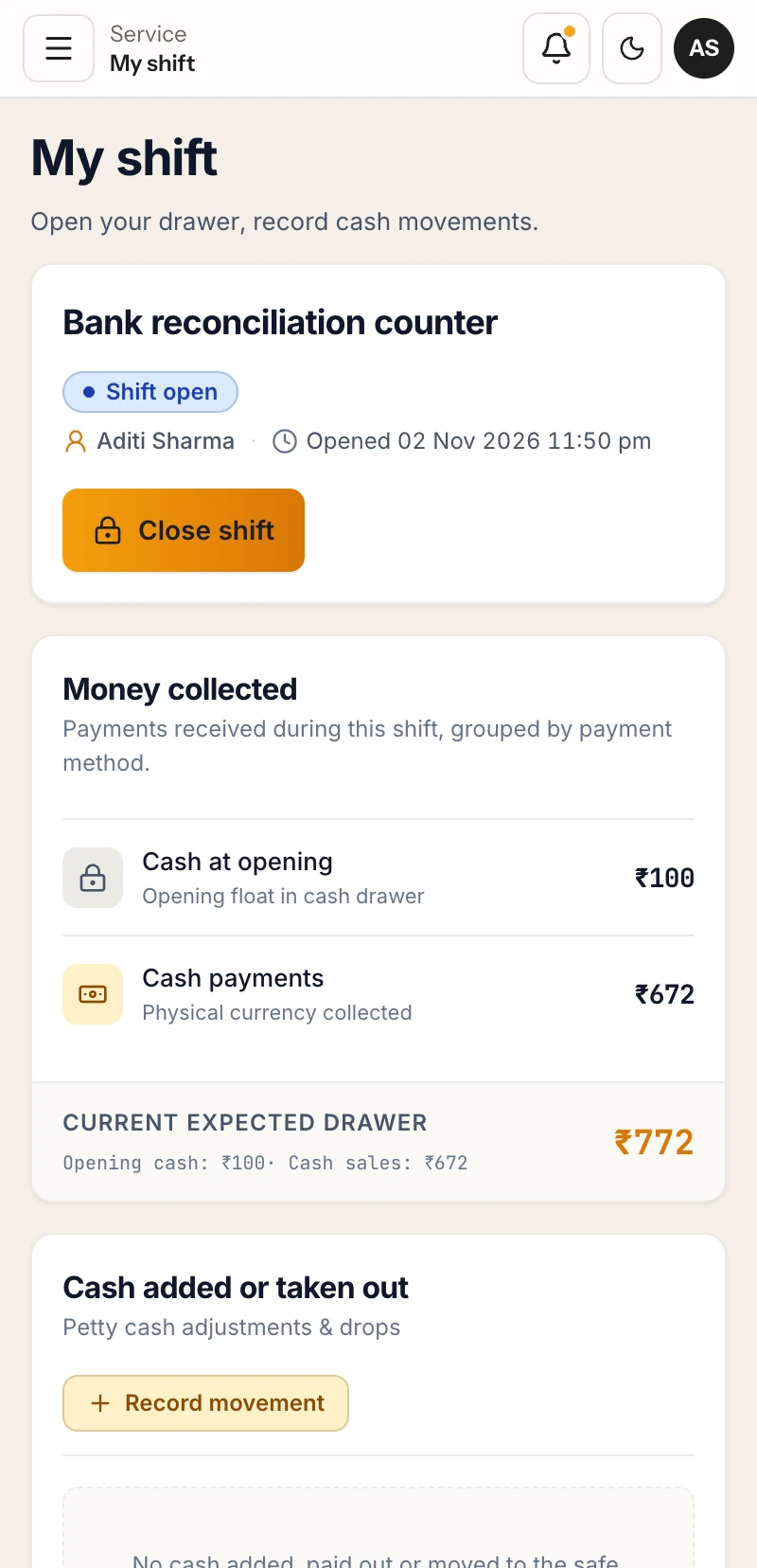
Opening cash, drawer movements and the expected drawer balance on a mobile screen.
CASH ACTIVITY THROUGH THE SHIFT
Know what entered the drawer.
A cashier shift begins with a known amount in the drawer. During service, cash orders and collections change the expected balance. Staff may also add or remove cash for a recorded reason. At close, the person handling the drawer counts what is there and compares the count with the expected amount.
RestaBee restaurant cashier software puts these steps in My Shift. The screen shows whether a shift is open, who opened it, the opening float, cash collected and recorded movements. Staff can follow the same shift record through closing instead of piecing together activity from separate notes.
This gives a restaurant cash management routine a consistent record for each shift. Owners and managers can review the cash activity within their permitted outlet and role scope, while the cashier can focus on the drawer in front of them.
FOUR PARTS OF A CASH SHIFT
Set the drawer up, record movement, count and close.
Restaurant cashier software keeps these four checkpoints tied to one shift record, from the first float to the closing count.
- 01
Opening float
Set the cash amount at the start of a shift so the drawer begins with a recorded balance.
- 02
Cash added or taken out
Record drawer movements during service and keep each entry attached to the shift.
- 03
Collection by tender
Review cash separately from UPI and card records, including orders settled with mixed tenders.
- 04
Closing count and variance
Enter the counted cash at close and review the difference against the expected drawer amount.
A SHIFT FROM OPEN TO CLOSE
Follow one record from the first float to the count.
Cash shift management connects the starting amount, collected cash and drawer movements to the closing review.
- 01
Open the shift
Record the person opening the drawer and the cash float available for service.
- 02
Record collections
Bills and later due collections remain linked to the order and their recorded tender.
- 03
Log drawer movements
Enter cash added or taken out during the shift so the expected balance reflects recorded activity.
- 04
Count and close
Enter the drawer count, review any variance and complete the close according to the assigned permissions.
CASH, OTHER TENDERS AND DUES
Keep collection types clear.
A bill can be settled with cash, UPI, card or a mix of tenders. Cash received affects the drawer; UPI and card collections remain recorded against the order under their own tender type. Cashier software should keep those records distinguishable so a closing cash count is compared with cash activity, while the wider collection view still reflects all recorded payments.
When a bill remains partly or fully unpaid, staff can record the outstanding amount as a customer due and collect it later through the supported workflow. The due remains part of the billing record. It does not appear as cash in the drawer until a cash collection is recorded.
For restaurant cash register software, this distinction matters at handover: drawer cash, non-cash collections and customer balances describe different states. RestaBee records them with the order and shift activity so the closing review can start from the right figures.
ROLE AND OUTLET SCOPE
Let each person work within their access.
Restaurant cashier software applies the role and outlet permissions to each workspace. A cashier needs the actions used during service; a manager or owner may also review the close, permitted reports or activity for an assigned outlet. RestaBee applies those permissions to workspaces, approvals and report visibility. Access follows the person’s assigned role and the controls enabled for that restaurant.
Use the shift record to review the opening amount, cash movement, closing count and any variance that needs attention. A cash shift management process gives managers a clear point to check the drawer without turning the POS into a payroll, accounting or expense ledger.
CASHIER SOFTWARE QUESTIONS
Questions about restaurant cash shifts.
Opening float, drawer movements, collection records and shift close in RestaBee.
Can restaurant cashier software record customer dues?
Yes. RestaBee records the opening float, cash collections, cash added or taken out, closing count and shift variance. Bills keep their tender type, and an unpaid balance can remain as a customer due for later collection.
What does restaurant cashier software track during a shift?
It records the opening float, cash collections, cash added or taken out, closing count and shift variance. Bills also retain their recorded tender type.
How does a restaurant cash shift start?
A staff member opens the shift with the starting cash amount. My Shift then shows the open shift and its drawer activity as service continues.
Can staff record cash added to or removed from a drawer?
Yes. Staff can record cash movements during an open shift so those entries are included in the expected drawer balance and closing review.
How is a cash variance calculated?
At close, staff enter the counted cash. The shift review compares the count with the expected drawer amount based on the opening float and recorded cash activity.
Do UPI and card collections count as drawer cash?
No. RestaBee records cash, UPI and card by tender. UPI and card collections are part of the order’s payment record but do not increase the cash drawer count.
Can I record a customer due and collect it later?
Yes. Staff can keep an unpaid bill balance as a due and record a later collection. The collection is recorded against the due and its tender.
Who can open or close a shift?
Shift actions depend on the user’s role and the permissions configured for the outlet. Owners and managers can review the access and approval controls available to their team.
Does cash shift management include payroll or full expense accounting?
The workflow covers drawer setup, shift cash activity, collections and closing review. Payroll and full expense accounting are separate business processes.
REVIEW THE SHIFT WORKFLOW
See a shift open, move and close.
Walk through the cashier view and review the closing details available to your team.